Dear Datagrok team,
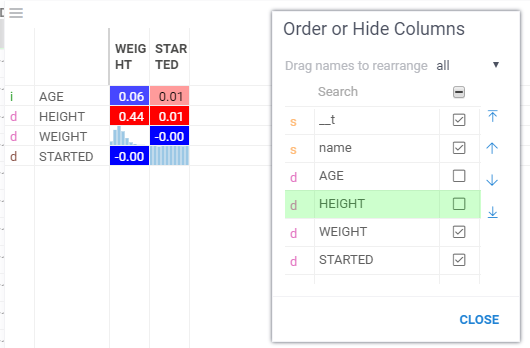
Hi, I found a bug in the correlation plot and would like to share it.
In the correlation plot, row names and column names are initially displayed, but we found that when row information is deleted from the grid, the row names are no longer displayed. This specification is inconvenient for use cases where users want to remove unnecessary information from large matrices.
I have attached a .gif file for your reference.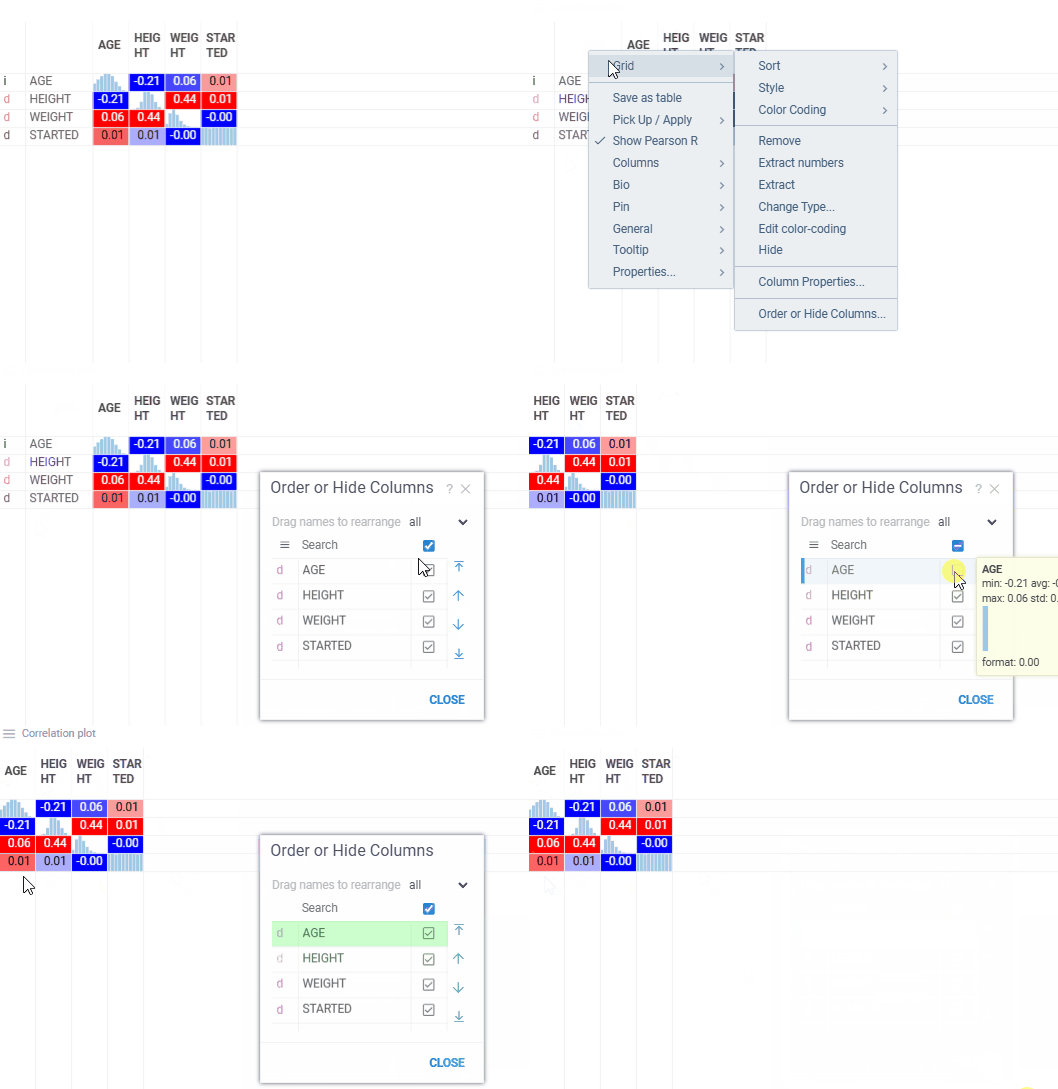
Please review this issue.
Best,
Kosuke
1 Like
Dear Kosuke,
Thank you for reporting this issue and sharing the detailed explanation with a .gif file.
We were able to reproduce the problem, and have already created a GitHub issue for it.
A fix is already planned and most likely be included in our upcoming release 1.27.0.
We appreciate your feedback and support in improving Datagrok!
Best,
Olesia
2 Likes
Hi Kosuke,
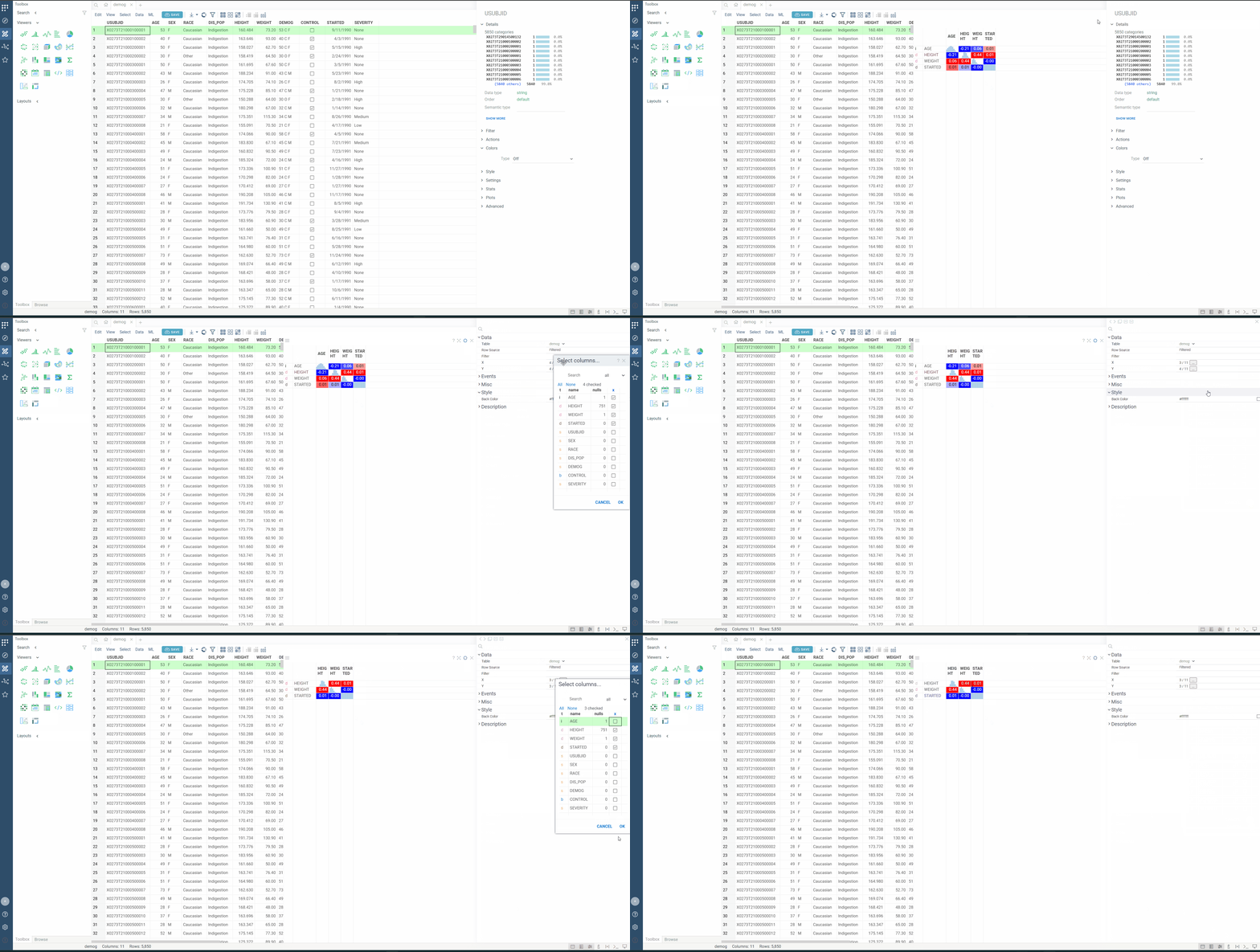
You can also try setting X Columns and Y Columns in the Correlation Plot’s property menu (see the GIF below).
This approach is usually better for removing unnecessary information from large metrics, since the selection is saved with the viewer and restored later. By contrast, when you order/hide columns in the grid, it only affects the inner grid—not the Correlation Plot itself.
So, in my opinion, it’s better to use this approach. But we will also look at the issue you sent and try to support both ways.
Kind regards,
Dmytro
3 Likes
Hi Kosuke,
We’ve fixed the issue with the column deletion. Now, when you go to Right click > Grid > Order or Hide Columns... in the Correlation plot, the correct menu with all columns will appear. Hiding or showing any of them will no longer break the plot (see the attached screenshot below).
This fix will be included in Datagrok v1.27.0, or it may be added in an earlier patch if needed.
Kind regards,
Dmytro
3 Likes
Dmytro,
Thank you for fixing the bug, and I apologize for overlooking the workaround you shared earlier. I actually confirmed it was fixed in my environment. That’s nice to adjust both x and y parameters independently.
Best regards,
Kosuke
2 Likes