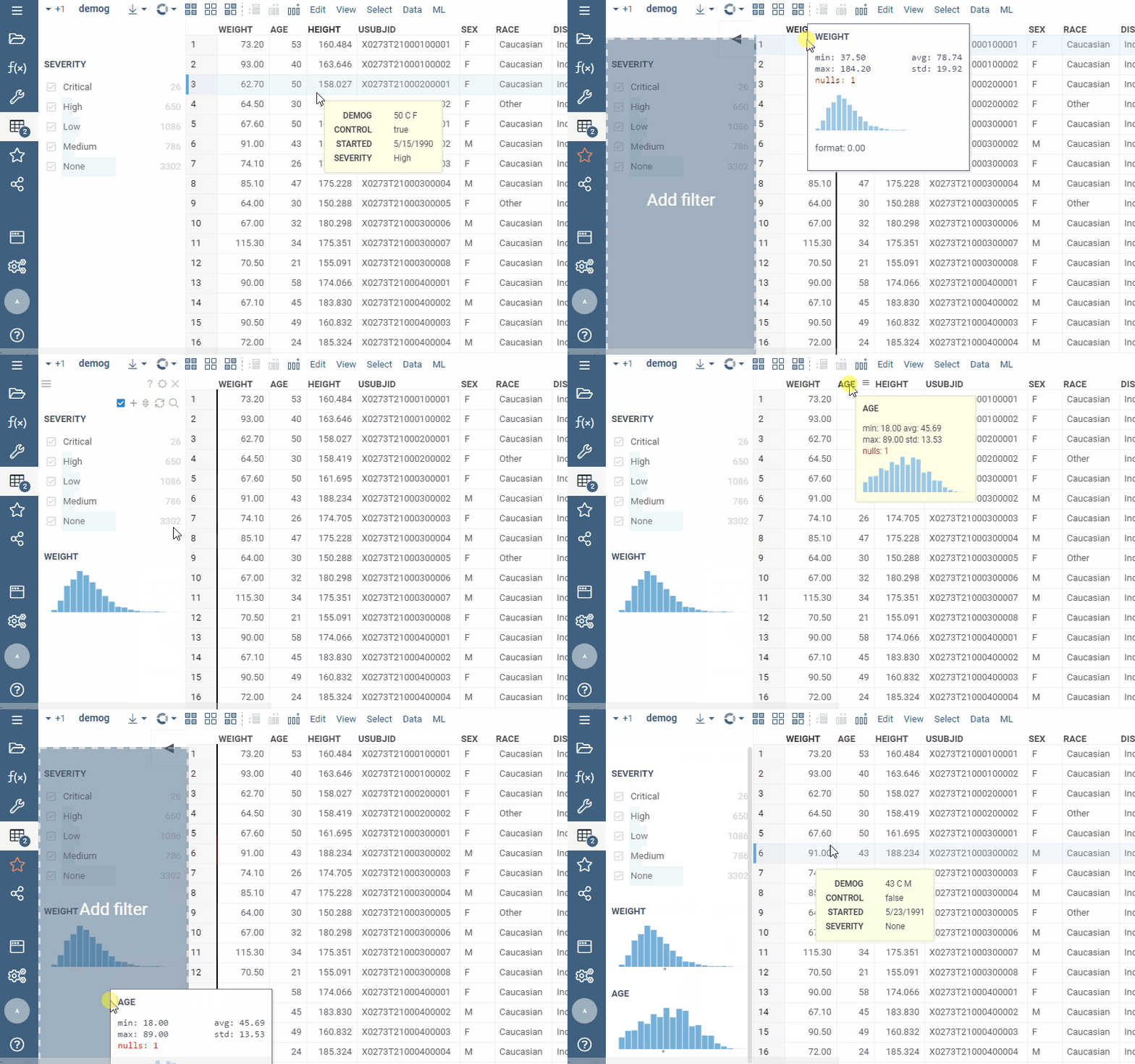
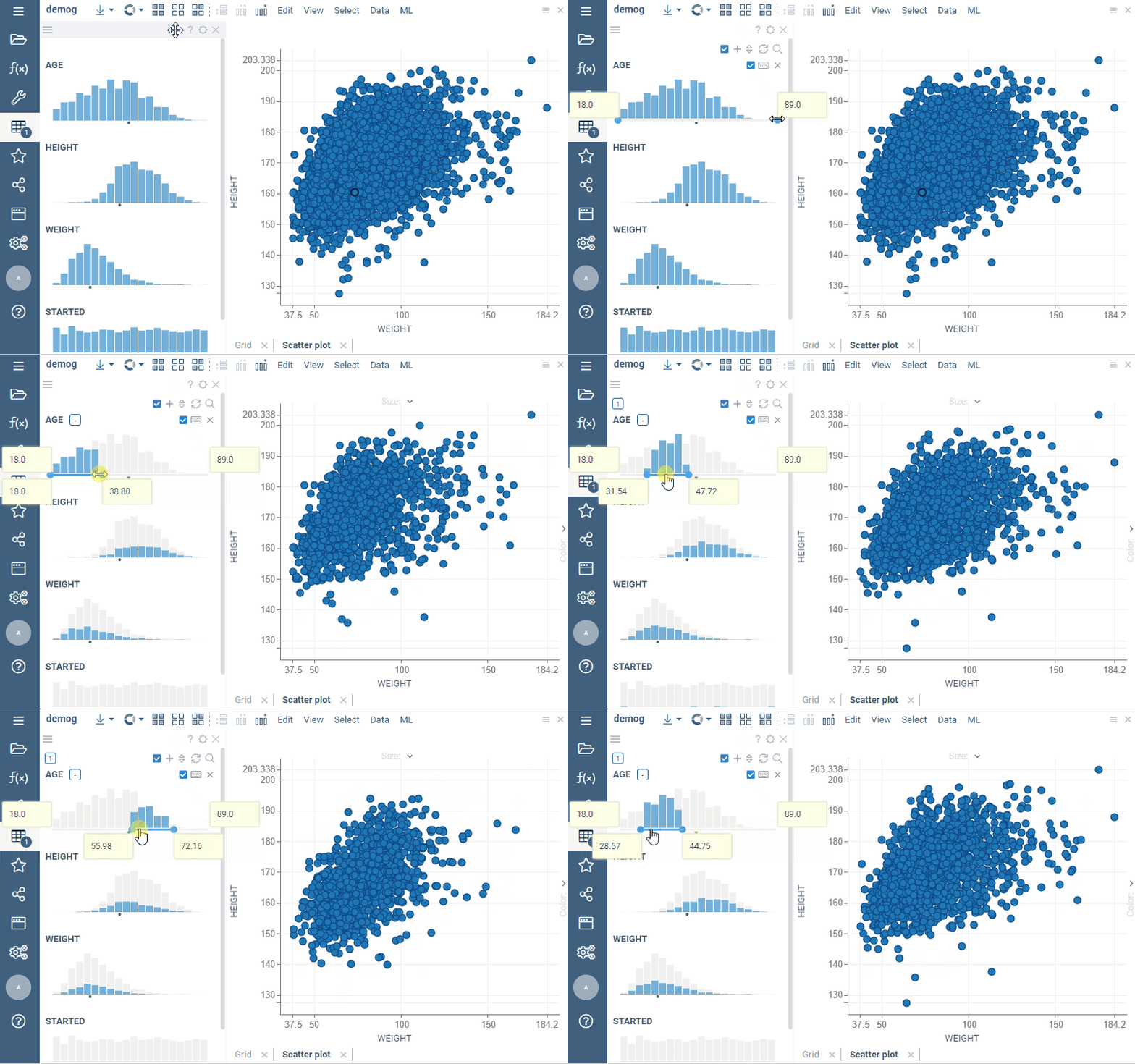
We’ve just added the ability to create filters by dragging the corresponding columns into the filter group:
1 Like
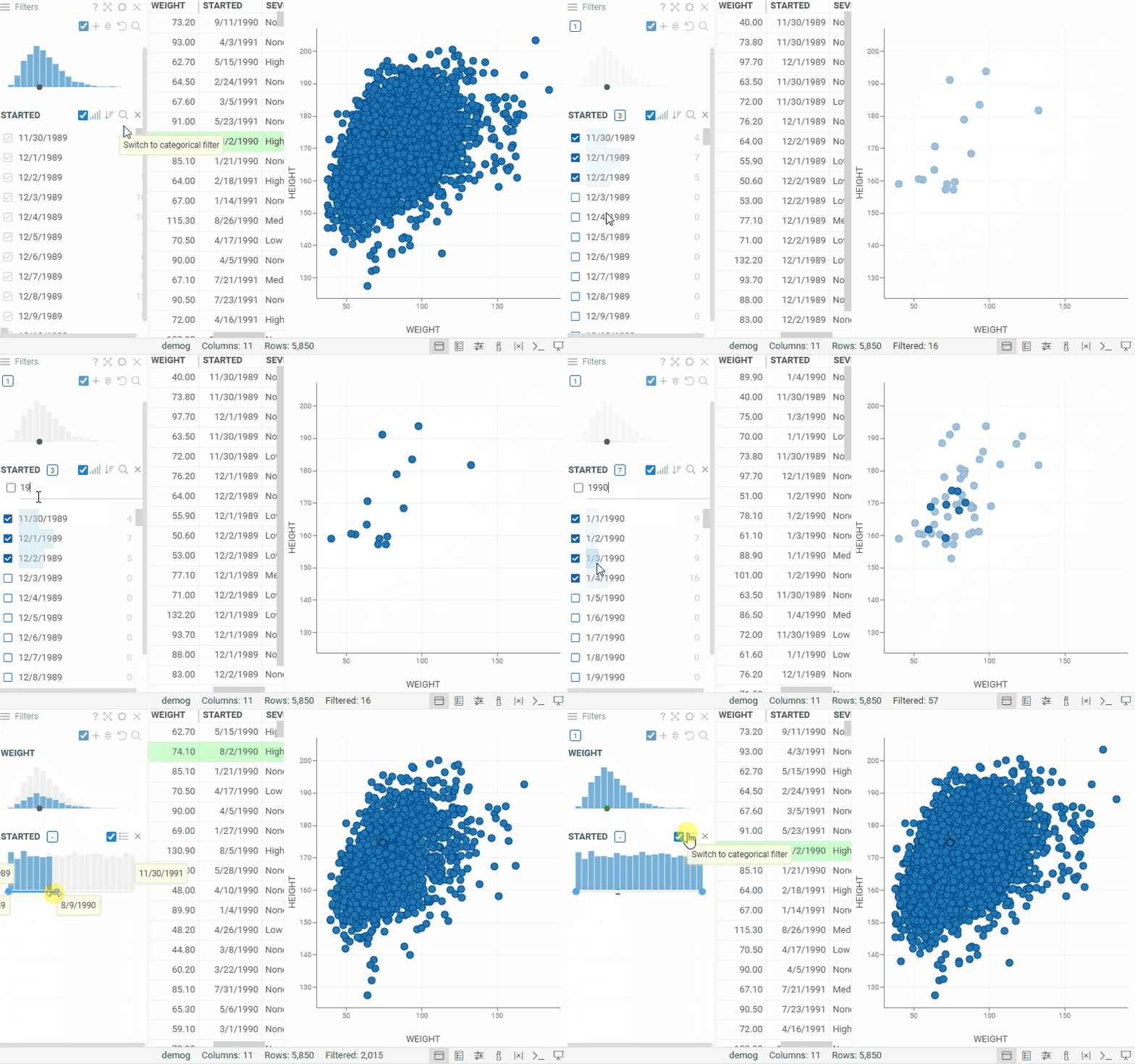
Starting with version 1.27.0, we’re introducing updates to the Multi-value filter and adding the ability to switch between numeric and categorical filters:
- The Multi-value filter lets you filter columns that contain multiple values in a single cell, treating each value as an individual filter option.
Each filter value has two checkboxes, allowing you to include or exclude rows that contain it. The AND/OR toggle controls how selected values are combined within the filter.
You can add it from the Filter Panel hamburger menu (Add Filter > Multi Value…)
Once added, the Multi-value filter uses the.multiValueSeparatorcolumn tag to split values in the selected column.

- You can now switch a numeric filter to a categorical filter and back:
• When switching the filter type, its settings are reset
• The selected filter type is persistent in both the layout and the project
2 Likes
New search and selection options make it easier to work with large and complex filters.
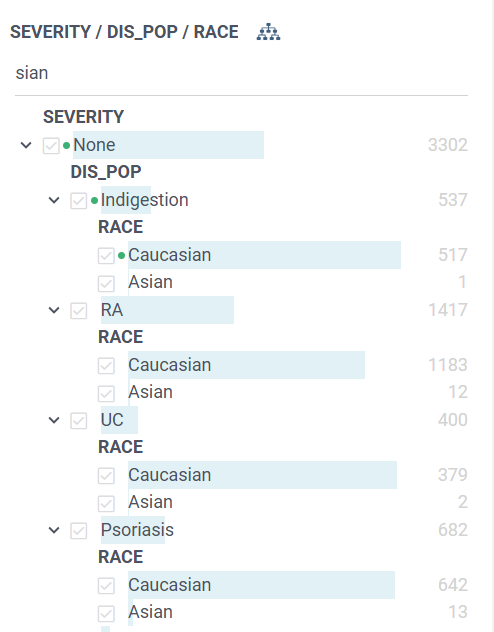
Search in hierarchical filters
Hierarchical filters now include a Search field. Use it to quickly find a specific node in a large hierarchy without browsing through the tree manually
Search values by partial match
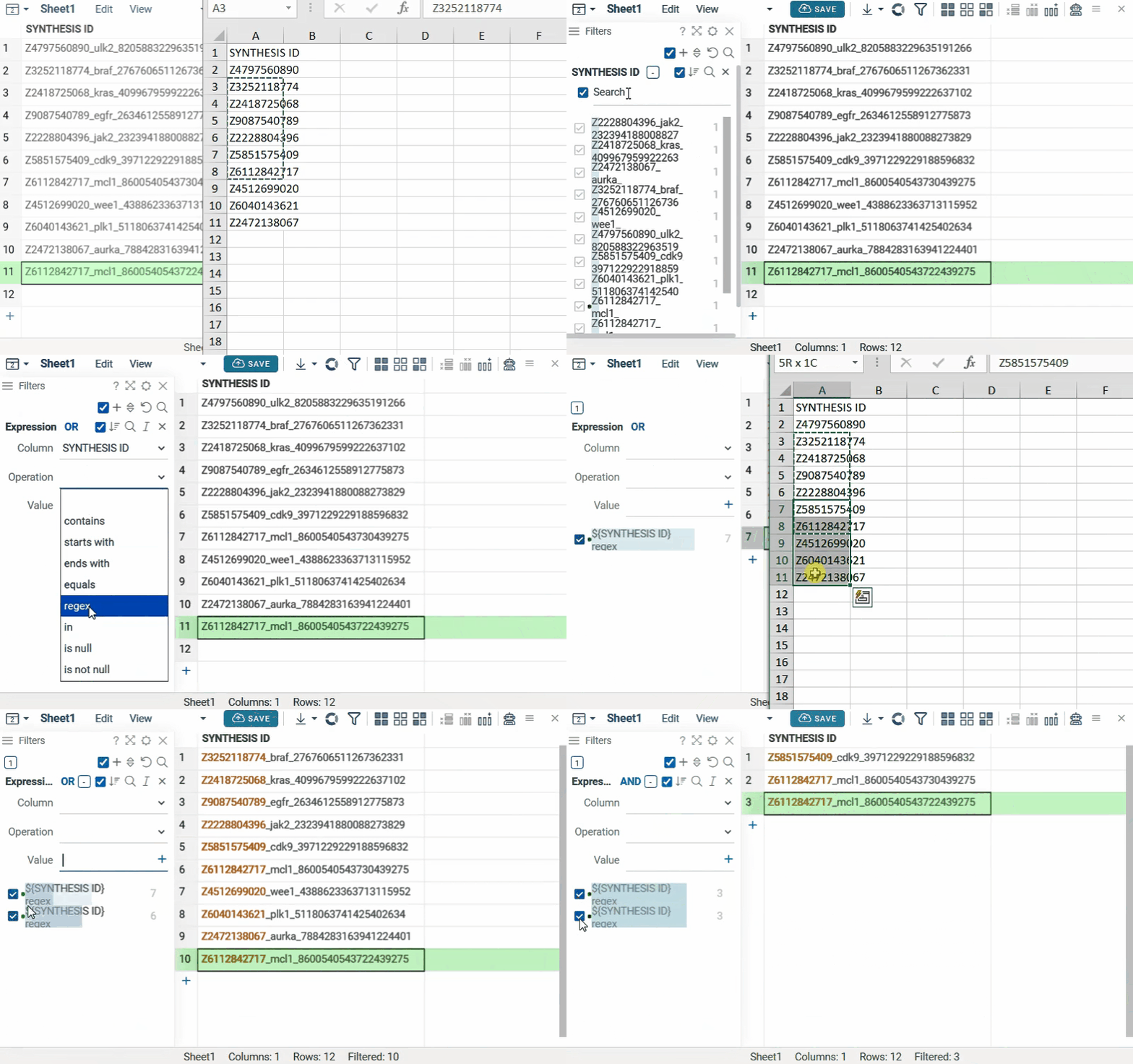
Categorical filters now support partial-match search . Enter any part of a category value in the Search field to find matching values.
You can also paste a list of values, for example from an XLSX file. The values can be partial strings rather than exact category values, making it easier to find and select multiple categories at once.
The Expression Filter also supports pasting lists of values when using the regex operation. Datagrok automatically converts the pasted list into a regex-compatible expression, allowing you to search for multiple values using partial matches.
Radio mode for categorical filters
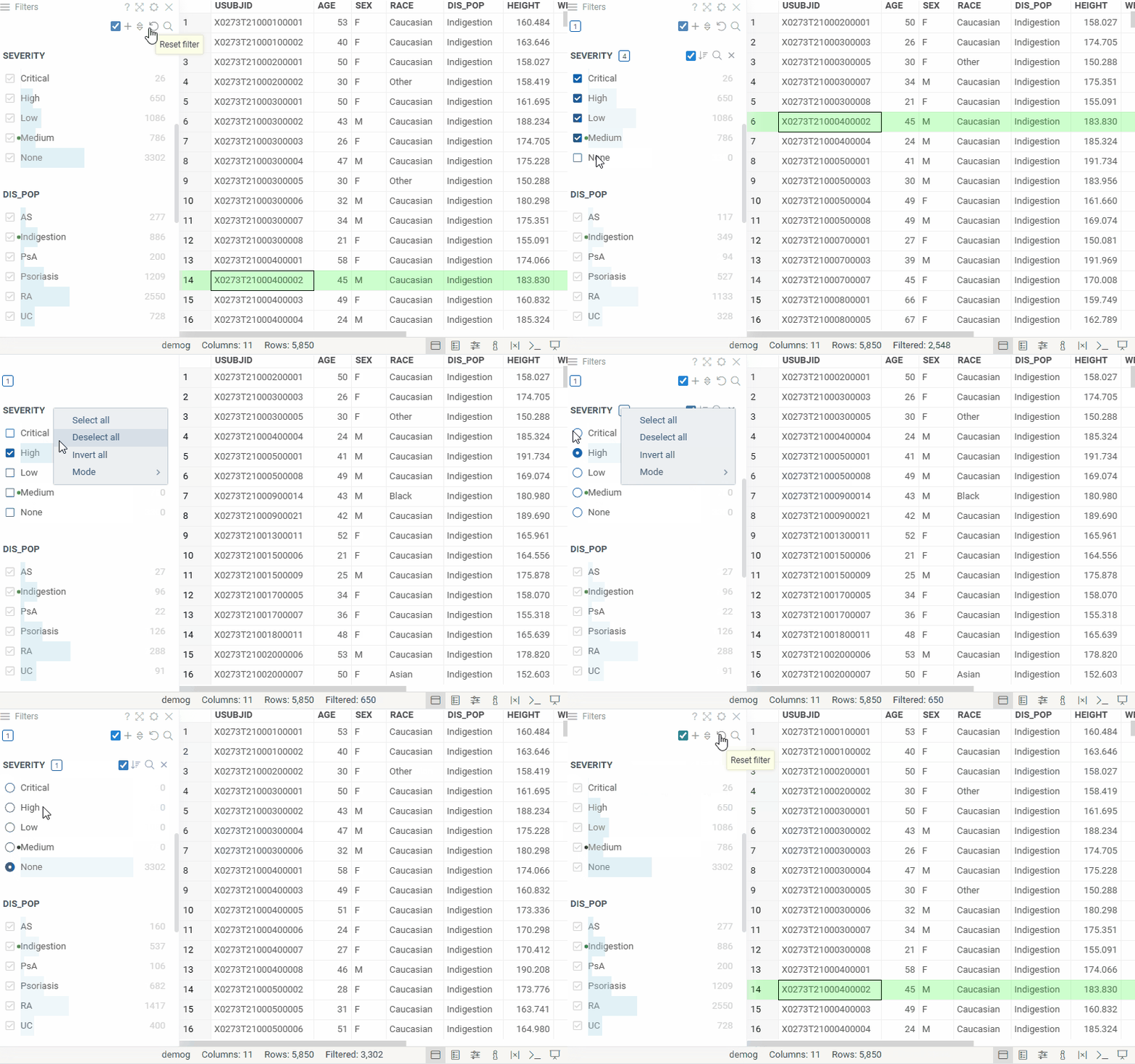
Categorical filters now support radio mode, which limits the filter to a single selected category at a time. For details, see the Radio mode documentation.
2 Likes