Dear Community,
I hope everything goes well. I have two questions about cheminformatics.
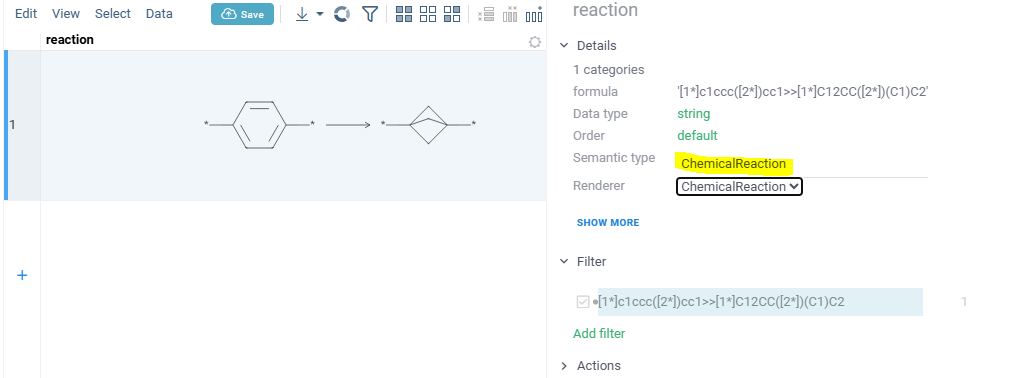
I would like to rendering reaction smarts on datagrok table cell such as ‘[1*]c1ccc([2*])cc1>>[1*]C12CC([2*])(C1)C2‘.
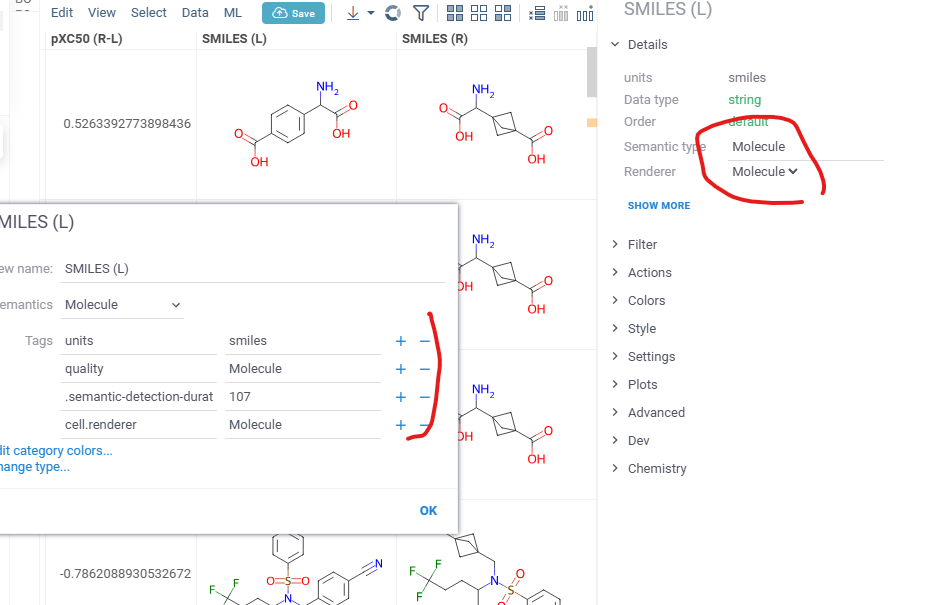
It was not rendered when I set column semantics as Molecule, cell.renderer as Molecule. Are there any way to render reaction smarts on the cell?
Some time SMILES columns are rendered as string when a CSV has multiple SMILES columns. I would like to modify column properties at once from GUI. Are there any way to do it?
Any suggestions or advices are greatfully appreciated.
Thanks!
Taka
Hi Taka!
As for the first question - please set column semantyc type to ChemicalReaction
As for the second one - do I get correctly, that some times when you load csv with multiple molecule columns, some of them are not rendered correctly. They are shown as strings instead of molecules and you want them to be rendered as molecules? In this case, can you please check if there are any errors in the console?
1 Like
Hi Mdolotova,
Thank you for your prompt reply. I could solve my issue with your suggestion!!!
Can I ask additional questions?
I often set column semantics from column properties menue. But it require lots of settings compared to your suggested protocols.
Which is better way to set column semantics. And are there any document of semantic types which datagrok supports?
Thank you for your kind support.
Best,
Taka
2 Likes
Hi Taka!
You can set semantic types using column tags - setting quality tag and cell.renderer tag if renderer is specified. In case of chemical reactions both quality and cell renderer should be set to ChemicalReaction.
Btw, can you update to 1.26.2, there is a lot of improvements there and we are working on improving the semtype settings.
As for the document - we do not have such at the moment but will create and provide it asap.
Kind regards,
Maria
2 Likes
Hi Maria,
Thank you for your prompt reply.
Sure we updated to 1.26.2.
I’m really appreciate your kind help.
Best,
Taka
2 Likes
Hi Taka,
We’ve updated the Semantic types documentation: improved the section on manually setting semantic types, and expanded the list of automatically detected semantic types.
Best regards,
Olena
@mdolotova - let’s improve the UI for letting users choose semantic types from the list?
Sure, will do and post here once it is ready.