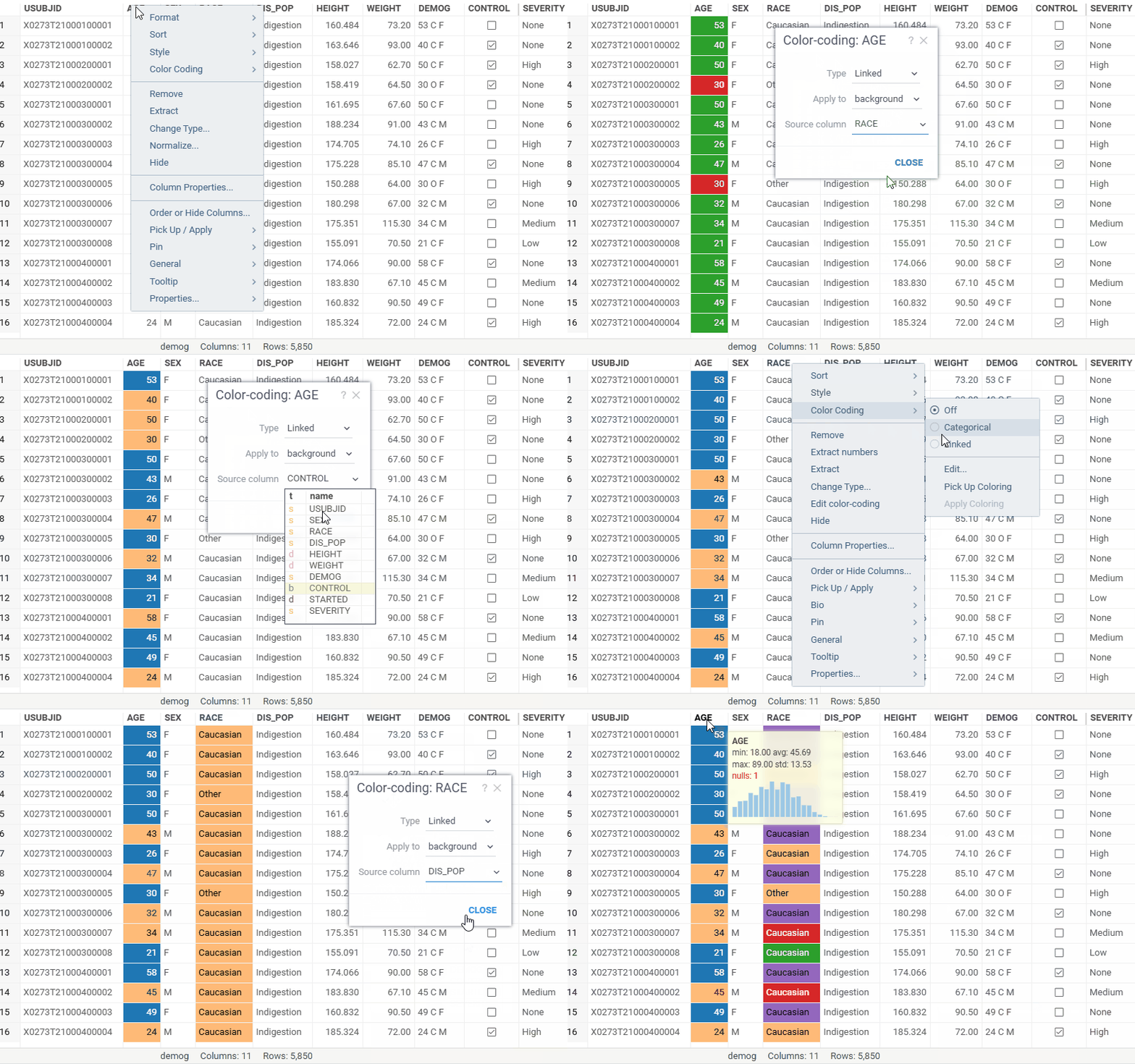
Color coding schema: Linked. Now you can color code one column by another using the new Linked scheme. This lets you visually correlate columns by reusing the color scheme of a reference column, regardless of the data type of the target column. By default, the first column is used as the reference; you can assign a different linked column in the color-coding settings (Color Coding > Edit…).
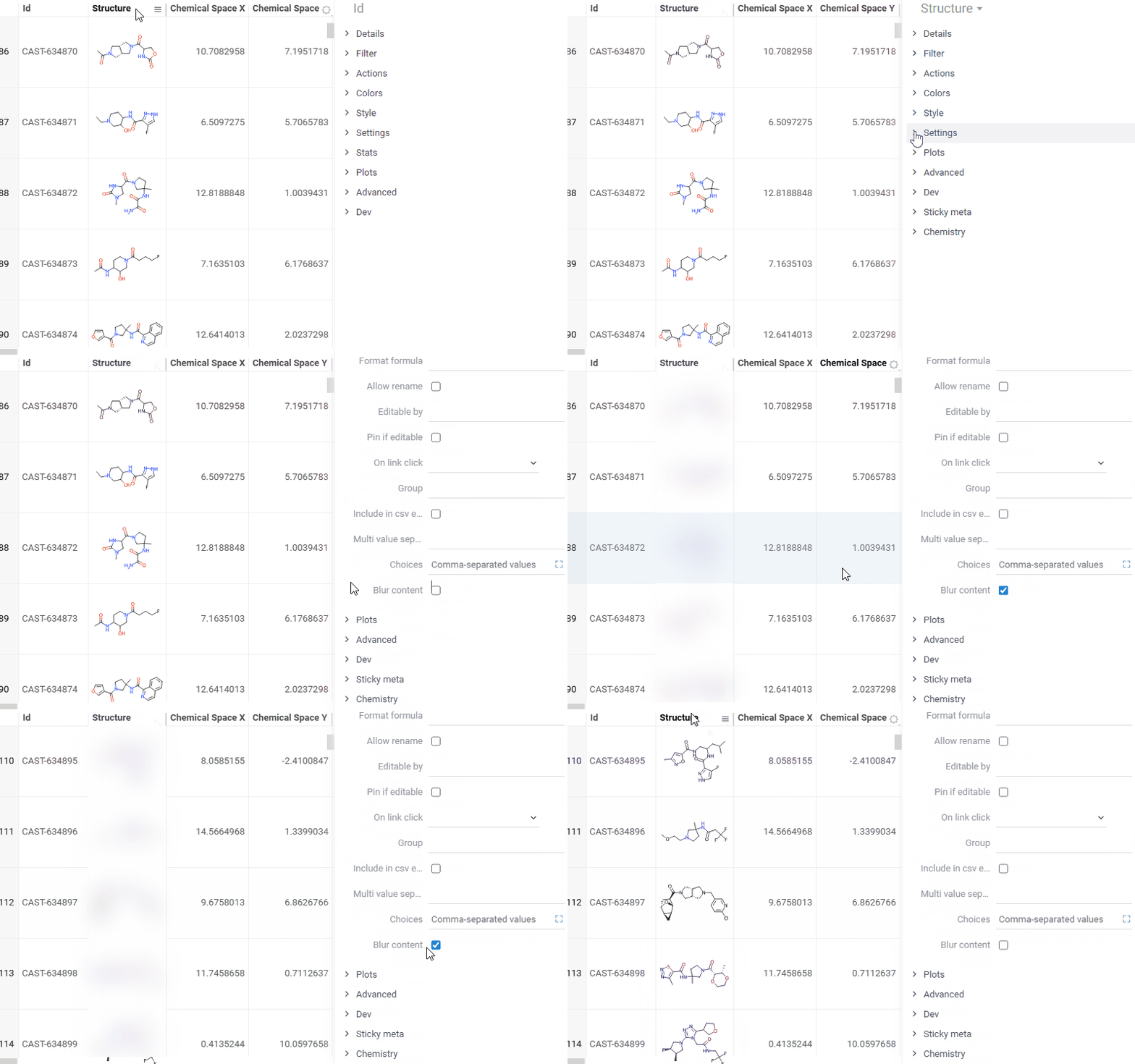
Blur rendering for columns. You can now blur column values to safely share screenshots in external presentations — sensitive data stays hidden without removing it from the view. To enable, open Context Panel > Settings > Blur content.
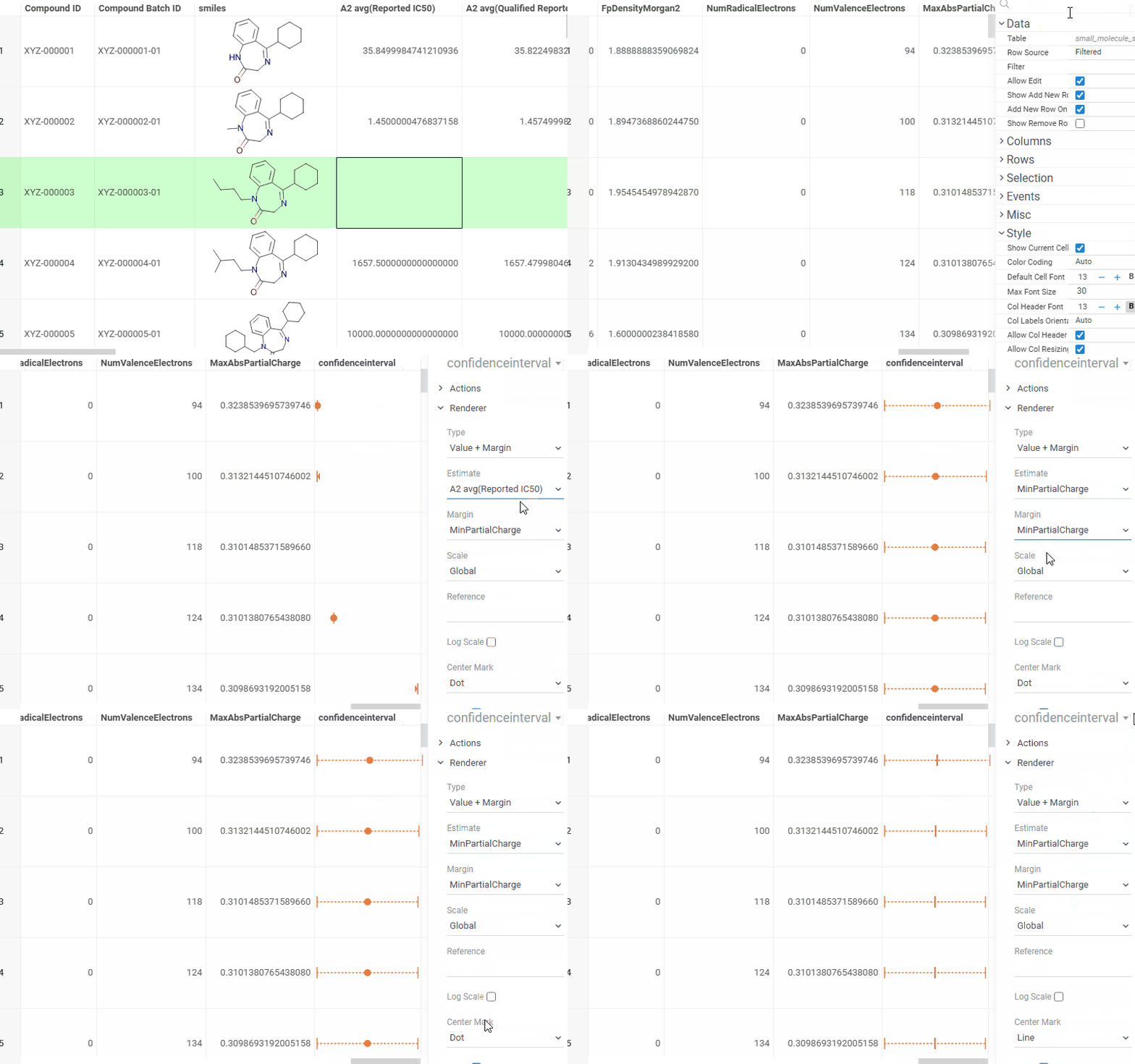
Confidence interval renderer. You can now visualize confidence intervals directly in grid cells. Assign the renderer to a column — it automatically detects matching bound columns based on value ordering. Customize the center mark style, whiskers, reference line, and scale mode (Context Panel > Renderer). For more information, read Grid: Summary columns.